Forum Replies Created
-
AuthorPosts
-
[email protected]
ParticipantHi Anh, thank you! I'll try to contact Yoast SEO... I'm sorry to bother you with the problem 🙁 I thought that I could easily fix it through META BOX. It seemed tempting and simple at first sight... Can I ask you for a refund money for DEVELOPER BUNDLE (149USD), please? As you can see, I can't use your product right now. Thank you for understanding. Zdenek
ParticipantHi Anh, thank you very much for reply. Yes, I have Yoast SEO PRO plugin with active breadcrumb navigation. But I have 3 serious errors in Google console (missing fields: position / name or item.name / url in id field) As you can see in picture below: https://www.reckonasbavi.cz/wp-content/uploads/2019/11/breadcrumb-navigation.jpg
I don't have an updated 2-3 years graphic theme! I can't update my graphics, I'm getting an error. It can be a major problem, I am waiting for developer response... he is not responding yet.
I have active Meta Box AIO with MB Builder and MB Group: https://www.reckonasbavi.cz/wp-content/uploads/2019/11/metabox1.jpg
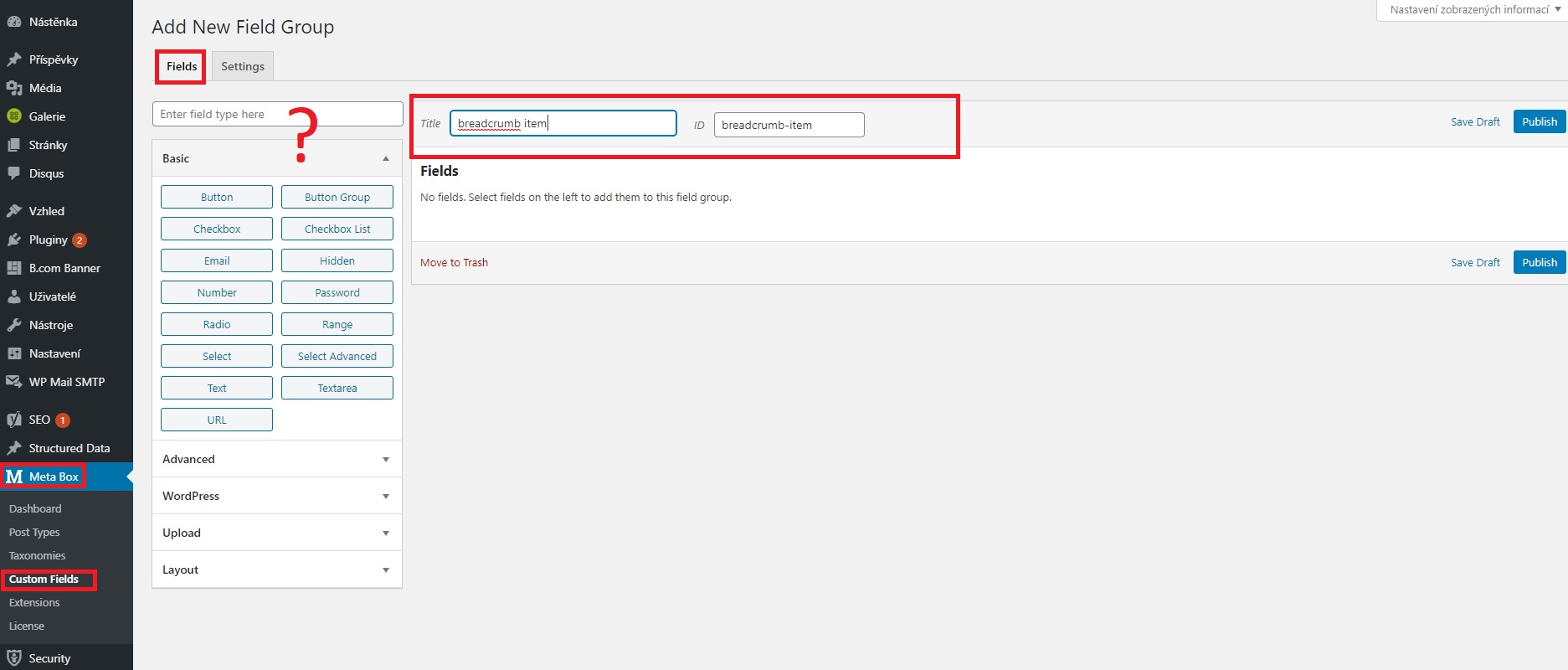
- "Go to Meta Box > Custom Fields and create fields for breadcrumb item"
- Ok, but I have no idea what fields to insert and how to name them? https://www.reckonasbavi.cz/wp-content/uploads/2019/11/metabox2_custom_fields.jpg
will it be automatically saved to each article /post? or do I still need to edit the graphic theme code or something more in HTML? I am not a programmer, I thought that the META BOX AIO will be as easy as the X previous WP plugins that I used 🙁
Can you help me with accurate instructions, please? If there is not an easy way, I will not use your plugin for 149USD. Many people have to have a similar problem with breadcrumb navigation ... since a certain date when Google began to demand it ...
Thank you for your time and help! Zdenek
-
AuthorPosts