
Forum Replies Created
-
AuthorPosts
-
July 22, 2022 at 5:11 PM in reply to: ✅How to load / use Custom Fields created by ACF in MB Views #37130
[email protected]
ParticipantThat's great thank you Long - much appreciated 🙂
July 21, 2022 at 3:33 PM in reply to: ✅How to load / use Custom Fields created by ACF in MB Views #37103Participantsorry I mistyped - I meant to say my custom field ID is 'office_address'
May 23, 2022 at 5:16 PM in reply to: Fields from related post(s) do not show in 'View' of Custom Post Type #36148ParticipantThis paragraph:
So, for each Sponsored event, I want to have one or more 'Speakers'. So in Metabox > Relationships I created a relationship called 'Sponsor Speaker' (Relationship ID 'sponsor-speaker', From Object Type 'Post', From Post Type 'Sponsor', To Object Type 'Post', To Post Type ''
Should read:
So, for each Sponsored event, I want to have one or more 'Speakers'. So in Metabox > Relationships I created a relationship called 'Sponsor Speaker' (Relationship ID 'sponsor-speaker', From Object Type 'Post', From Post Type 'Sponsor', To Object Type 'Post', To Post Type 'Speaker'
ParticipantHi, I have the same issue - I can also confirm your fix of changing the 2nd post loop to 'for post2' does not work. Please see my thread here = https://support.metabox.io/topic/fields-from-related-posts-do-not-show-in-view-of-custom-post-type/
Please can you advise how to fix this? Or is this a bug in Metabox which needs fixing?
ParticipantHi Long,
My apologies for the delay coming back to you - I had to work on another project for the last few weeks.
YES!! This has now worked for me, I can see my custom user field for 'Company' is now showing when I go into the individual User Account in the WordPress back end.
Thank you so much!
ParticipantSo I tried this code in my functions.php file:
add_filter( 'rwmb_meta_boxes', 'show_customer_company_name' );

function show_customer_company_name( $meta_boxes ) {
    $prefix = '';

    $meta_boxes[] = [
        'title'   => __( 'Customer', 'customer-company-name' ),
        'id'      => 'customer',
        'type'    => 'user',
        'include' => [
            'relation'  => 'OR',
            'user_role' => ['customer'],
            'edited_user_role' => ['administrator'],
        ],
        'fields'  => [
            [
                'name'          => __( 'Company', 'customer-company-name' ),
                'id'            => $prefix . 'customer_company',
                'type'          => 'text',
                'admin_columns' => 'after title',
            ],
        ],
    ];

    return $meta_boxes;
}
It did NOT work. I am logged in the WordPress back end as Administrator, I go to User > test-customer1 (which has the role of Customer) and I still cannot see my custom field 🙁
Please can you provide me with workable code to try in my functions.php file which will fix this.
Many thanks,
Keith
Participant...and just to explain further from my last reply:
- the role 'Customer' does NOT have access to the back end, ONLY to the front end. I am building a dashboard which shows some information to 'Customer' when they log into their accouint on the FRONT END.
- I want for the role (and ONLY this role) of Administrator to be able tedit the custom field of 'Company' in the role of 'Customer'.
ParticipantHi Long, yes you explained, but I did not understand - your explanation was not very helpful, just redirecting me to a documentation page is not very helpful. Also your documentation is not very good (maybe for experienced Meta Box users it is, but not for someone like me who is using Meta Box for the first time).
An example would be to say
"Keith, to achieve what you need, add this code to your functions.php file" followed by the line of code (that is the level of support I have had at Advanced Custom Fields or Toolset).Anyway - so now, I think I understand what you are saying, that because when I am logged in as the Administrator role, that because that is not the 'Customer' role, that I can't see the field.
So what I need to do, is for the Administrator role to be able to edit the field, BUT the Customer role to just be able to view their 'Company' field when logged in (but NOT to be able to edit it).
Am I correct in saying that I just need to add this line of code to my code in the original thread:
'edited_user_role' => 'administrator',
Is that right? As like I say, your documentation is not very good for a beginner user, there isn't even an example syntax provided for the 'edited_user_role'.
Please consider improving your documentation for beginner users. Also, please can you add it to the 'settings' tab for a field group, so that I can get this code generated correctly by Meta Box itself (as I'm guessing that is the whole point of using Meta Box).
Many thanks for your help,
Keith
ParticipantHi Long, thank you for coming back to me.
I'm a bit confused here - the code I am using (in my functions.php) is the code generated by Meta Box.
So are you saying that the code which Meta Box generates, is incorrect?
If so, why does it not generate the correct code? I don't understand.Please see my attached screenshots (which are labelled from 1 to 5 in order), showing you what I am doing. I am thinking maybe you did not understand my original question, as there is no mention at all in the documentation for Meta Box, that I need to do what you have said in your response, to add a custom user field?
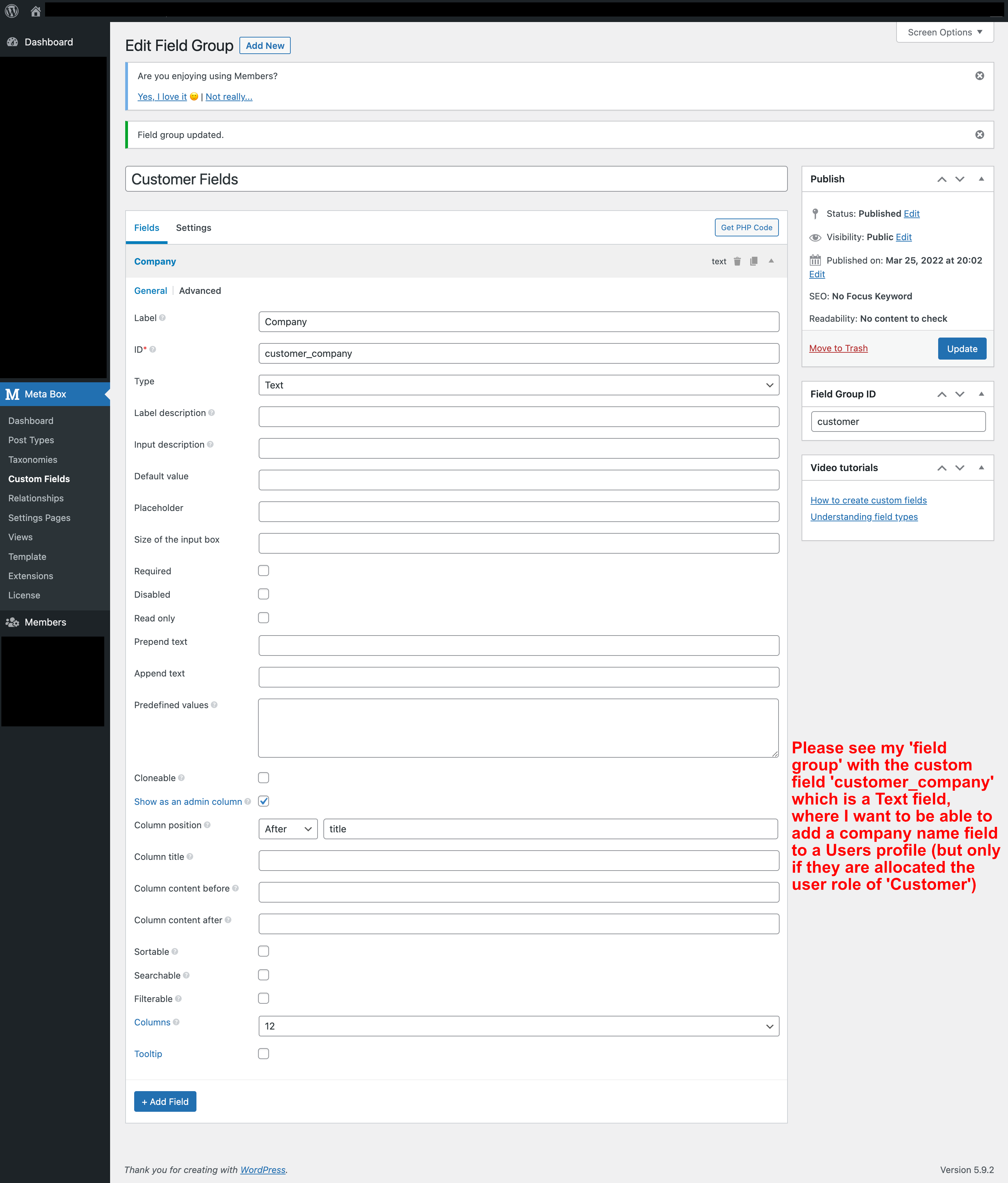
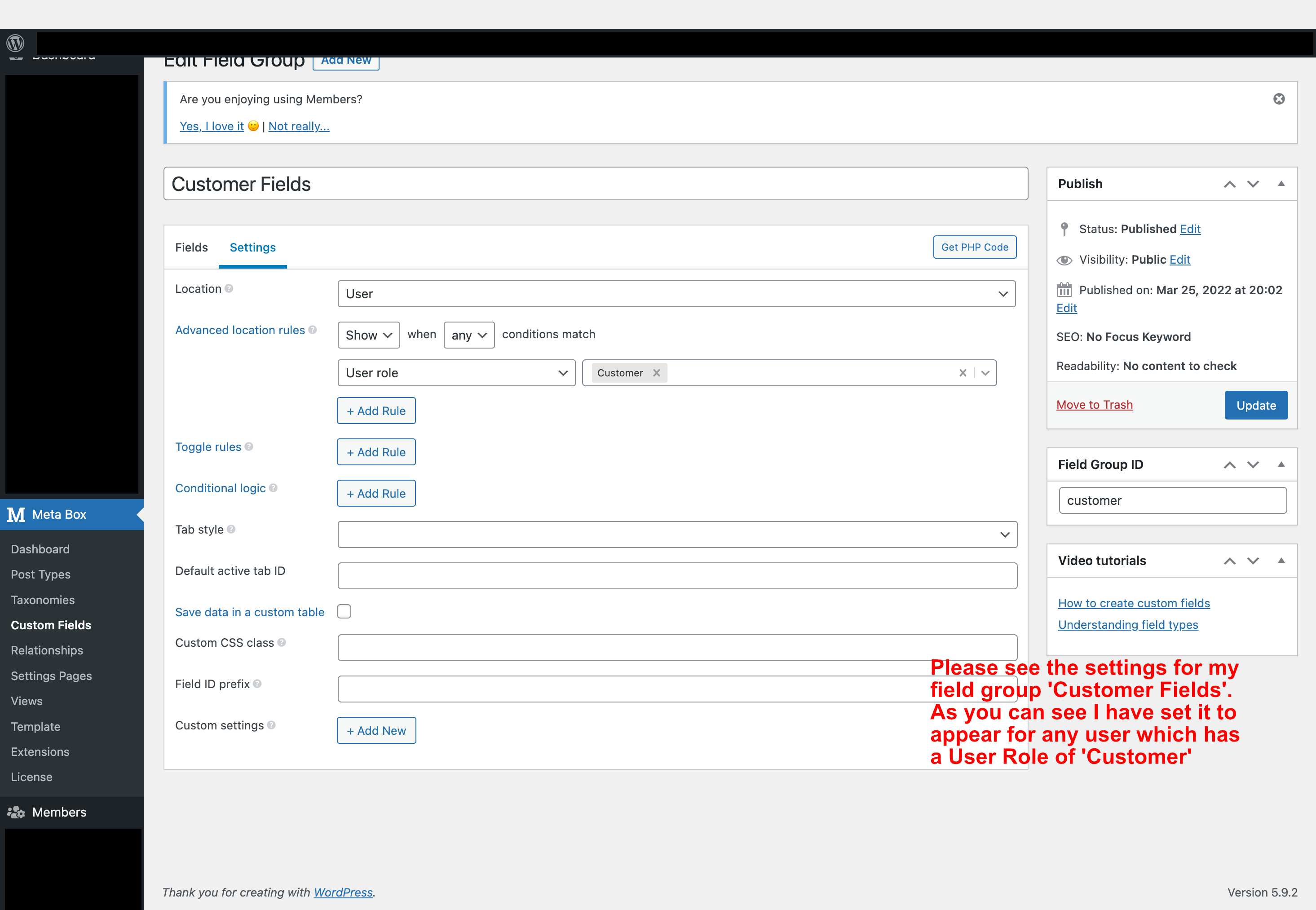
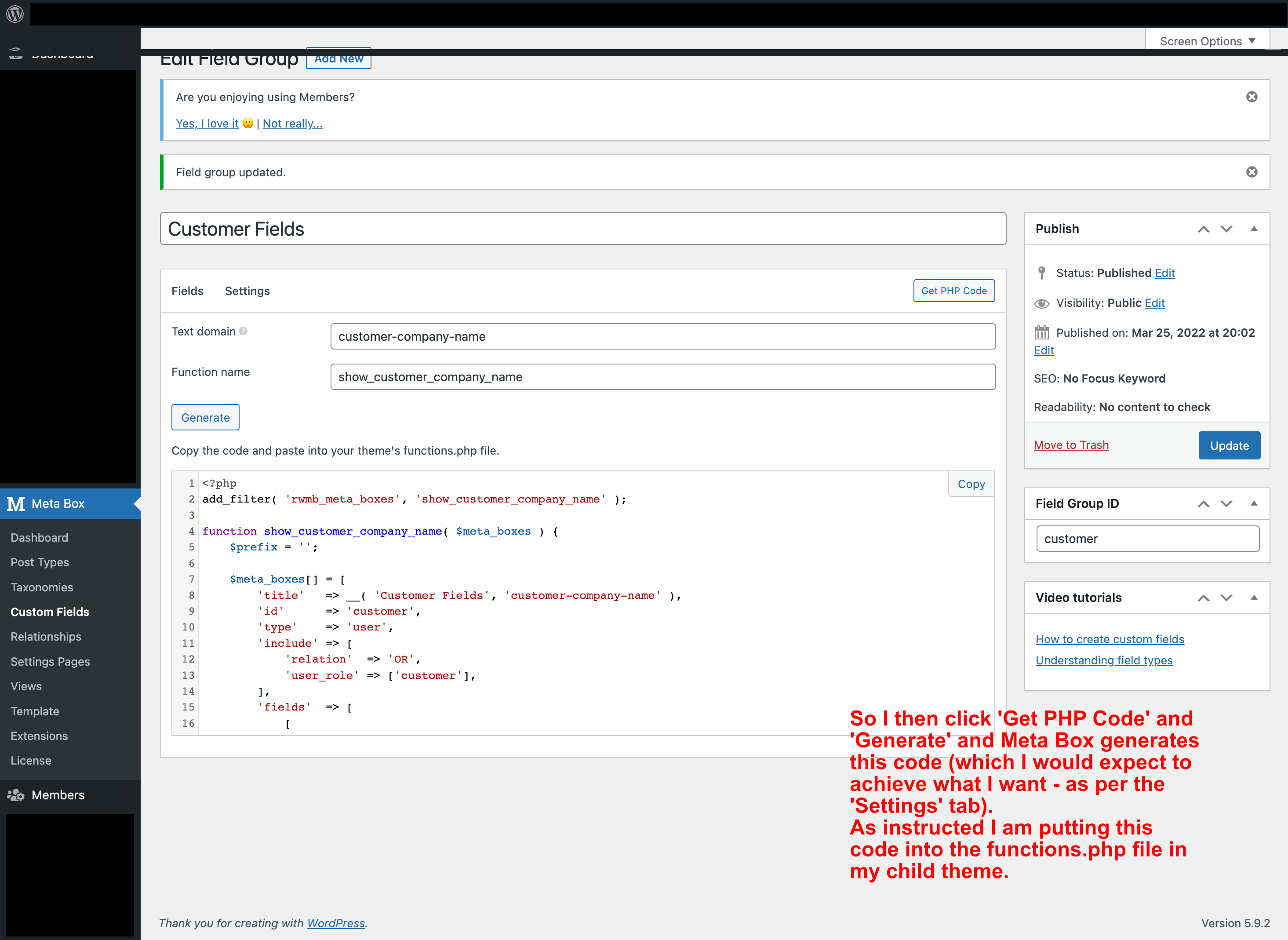
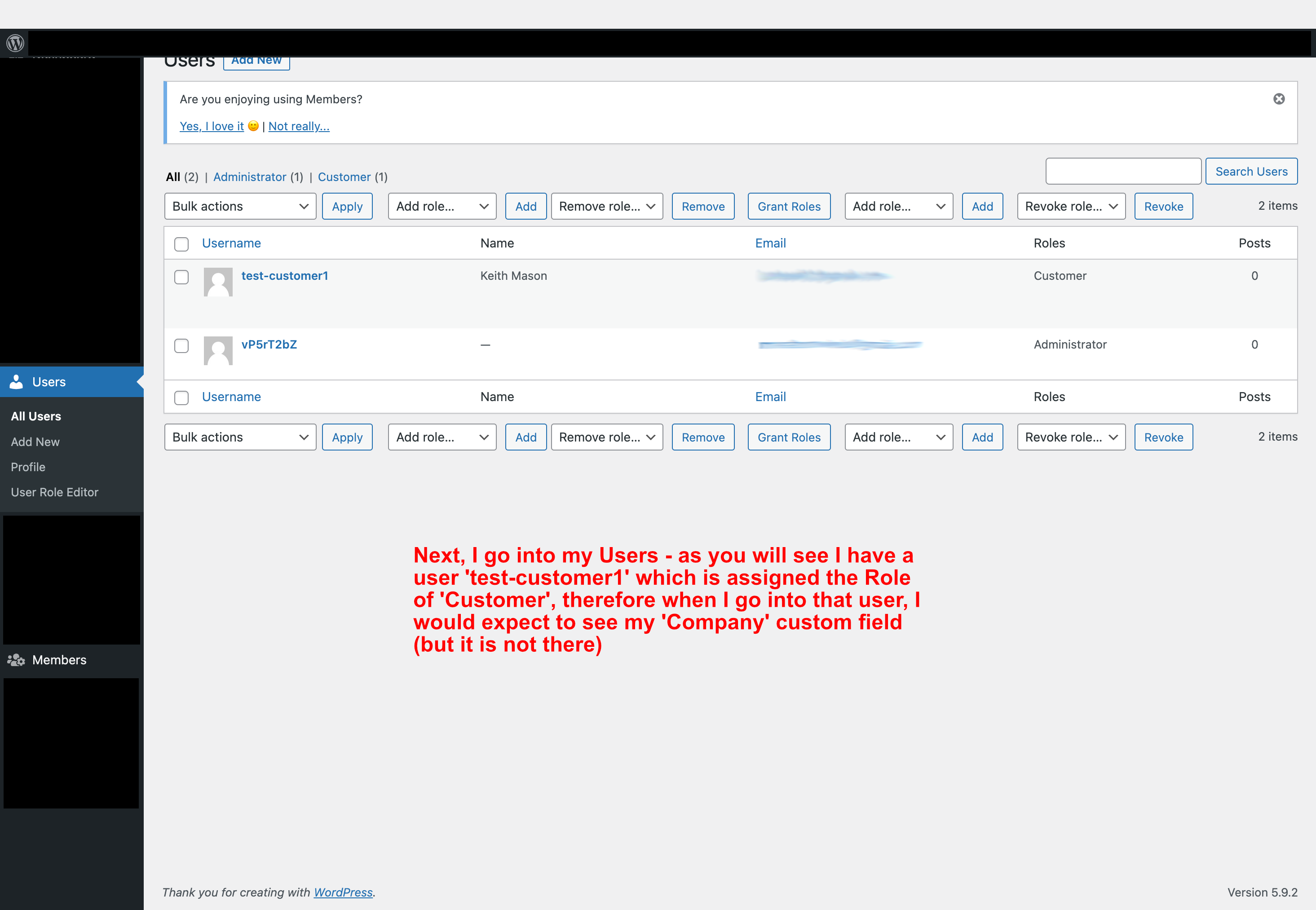
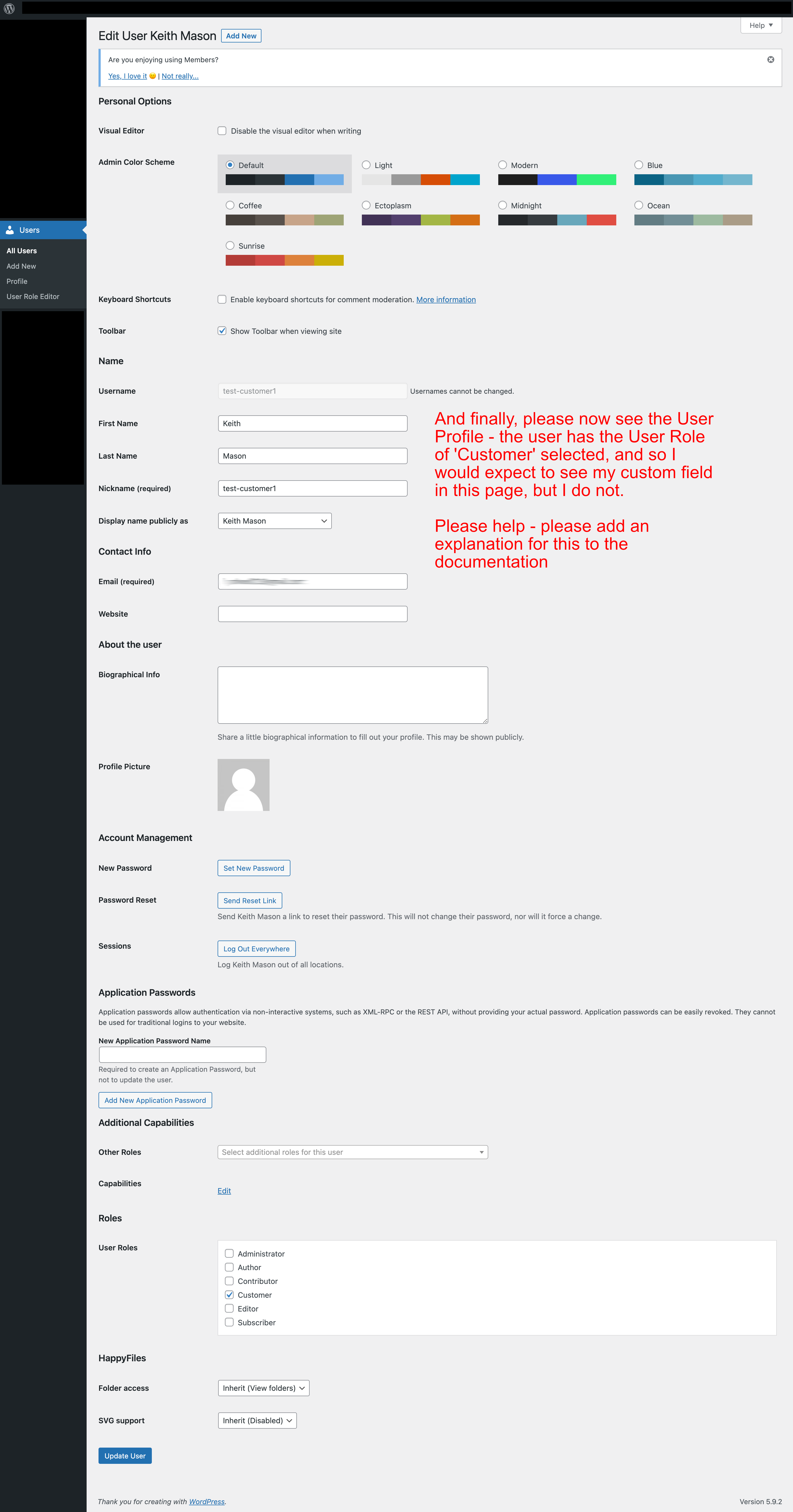
Thanks again for your help,
Keith
September 23, 2021 at 6:04 PM in reply to: Is there a way to populate posts / fields importing from Google Sheets / Excel? #30917ParticipantHi there, may thanks for replying and also for the link to the tutorial.
Unfortunately that tutorial doesn't really help - it works as a 'one off', but the whole point of what I am looking to do is to get a simple integration setup which I could carry out on a daily basis (to update a set of data which will change every day). The tutorial you have sent is a work around, but not something that could be carried out regularly (which is why a full integration with WP AllImport would be better).
So in this case I will need to use something other than Metabox for my project. But thank you again for the suggestion.Have a great day,
Keith -
AuthorPosts