
Forum Replies Created
-
AuthorPosts
-
February 5, 2026 at 5:35 PM in reply to: Metabox Time Field shows 1.1.1970 in Bricks Builder after clearing value #49734
Simon Egle
Participant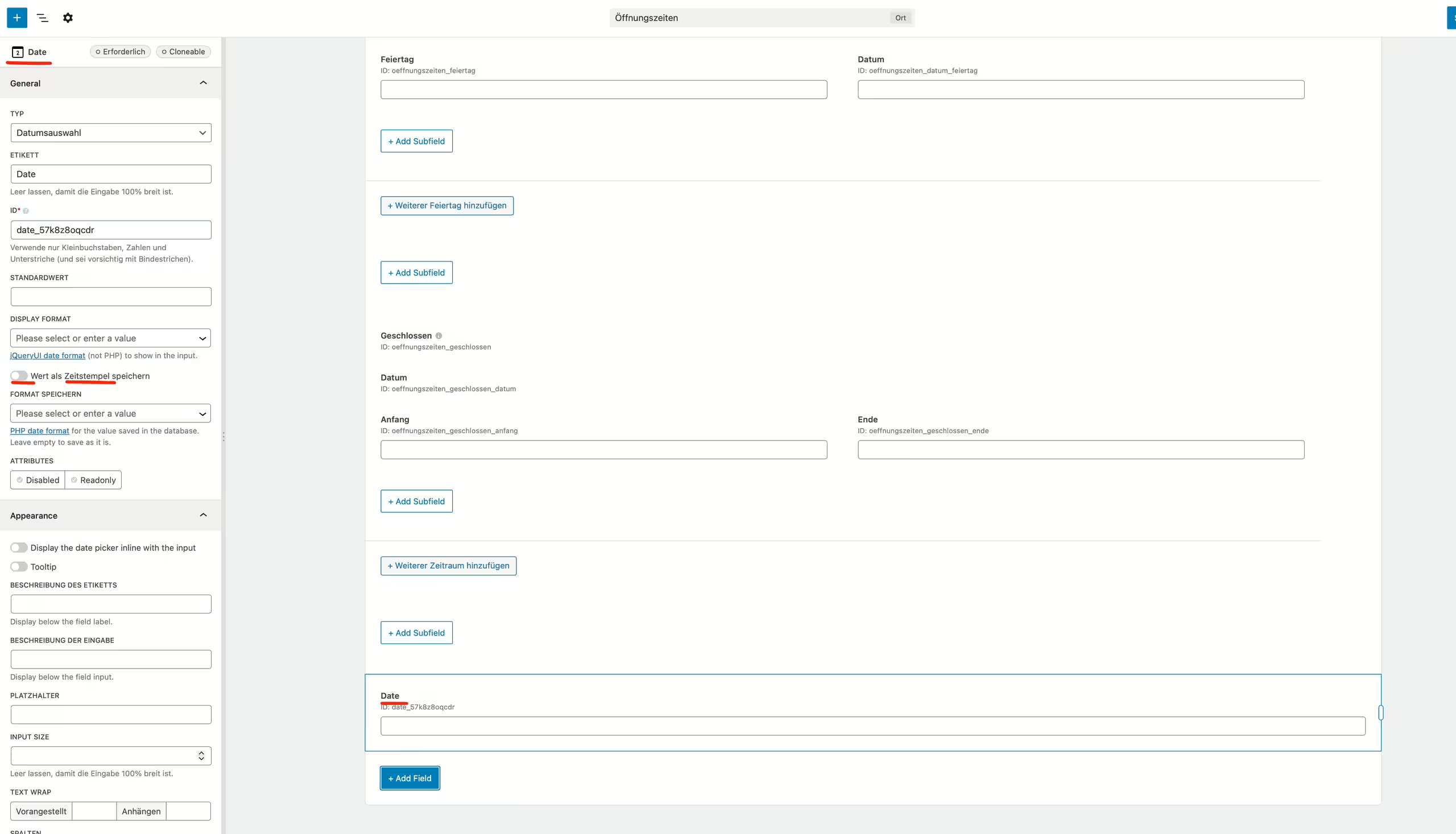
Hi Peter,
thanks for your reply.
Thank you — however, I’d like to clarify something: as you can see in the attached screenshot, it is possible to enable timestamp on a regular time field in the UI (I’m using the latest MetaBox version).
The issue only appears once the field is placed inside a cloneable group — in that case, the timestamp option disappears and can no longer be enabled.
So to summarize:
• Time field outside a cloneable group → timestamp option is available
• Same time field inside a cloneable group → timestamp option is missingCould you please check whether this is expected behavior or possibly a bug?
Thanks a lot for your help.
Best regards
SimonNovember 11, 2025 at 4:02 PM in reply to: Unable to save due to email field is set to required #49313ParticipantHello, I have the same problem. I’m looking forward to an update and a solution. Metabox AIO Version 3.3.1
ParticipantI found the error. It doesn’t work when the second taxonomy is in a group.
January 21, 2025 at 3:40 AM in reply to: Adjusting Width of Admin Filter and Translating Text in Relation Field #47481ParticipantHello Peter,
Thank you for the information. I noticed that this file is also available in German.
https://github.com/wpmetabox/meta-box/blob/master/js/select2/i18n/de.js
Why is it being displayed in English for me? I have both German and English installed in WordPress, but selected German.
January 21, 2025 at 2:28 AM in reply to: ✅Issues with Post Title Generation Using Custom Table Data #47480ParticipantHi Peter,
Thank you so much for your prompt and helpful response! Your guidance was spot on, and using the rwmb_meta() function worked perfectly for our use case. We’re grateful for the detailed explanation and the resources you shared. 🙏
For anyone who might face a similar issue in the future, here’s the working code that generates a post title from custom fields stored in a custom table created with Metabox. This example is for a custom post type called veranstalter with the fields person_vorname and person_nachname in the custom table.
<?php // Hook into Metabox's action after all custom fields in the "person" field group are saved add_action('rwmb_person_after_save_post', function ($post_id) { // Ensure this only runs for the custom post type "veranstalter" if (get_post_type($post_id) !== 'veranstalter') { return; } // Use rwmb_meta() to retrieve values directly from the custom table $first_name = rwmb_meta('person_vorname', '', $post_id); $last_name = rwmb_meta('person_nachname', '', $post_id); // Check if both fields have values if (!empty($first_name) && !empty($last_name)) { // Generate the title by combining first and last name $title = trim("$first_name $last_name"); // Generate a unique slug for the post $unique_slug = wp_unique_post_slug(sanitize_title($title), $post_id, 'publish', 'veranstalter', 0); // Update the post title and slug wp_update_post([ 'ID' => $post_id, 'post_title' => $title, 'post_name' => $unique_slug, ]); } else { error_log("First name or last name is missing for post_id $post_id"); } });ParticipantHello Peter,
Thank you for your quick response. The problem has been resolved!
Participant -
AuthorPosts