
Forum Replies Created
-
AuthorPosts
-
December 28, 2023 at 5:38 PM in reply to: MB Relationships - Database error for relationship between users_to_posts #44181
Leerpodium
ParticipantNevermind, I tested it myself on https://instawp.com/ with PHP 7.4 and the error did not occur.
I will try to debug some further, but could you please let the developers know of the error message?
Maybe they have an idea what might cause such an error.December 28, 2023 at 4:16 PM in reply to: MB Relationships - Database error for relationship between users_to_posts #44180ParticipantJust to be sure... which PHP version did you use to create the multisite?
And if by any chance you used PHP 8, could you try again with PHP 7?December 22, 2023 at 5:14 PM in reply to: MB Relationships - Database error for relationship between users_to_posts #44156ParticipantHello,
Ok, good to hear you can reproduce (part of) the issue.
For a second I thought I was going insane 🙂I did some further testing on my local host for the error message.
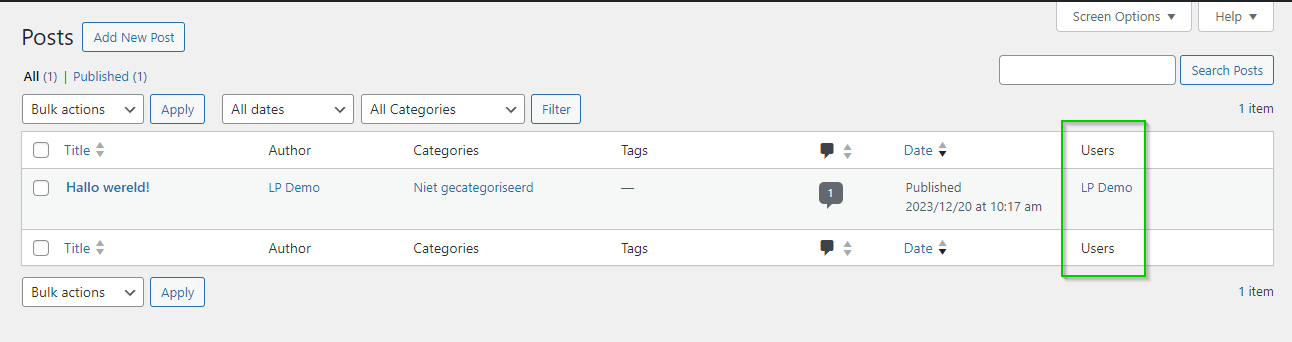
For the single site installation as well as for the multi-site installation I connected a user to a post and checked the post overview screen in the dashboard.On the single site installation the error message does not occur and the relationship is shown correctly:
On the multi-site installation the error message does occur and the relationship is not shown correctly:
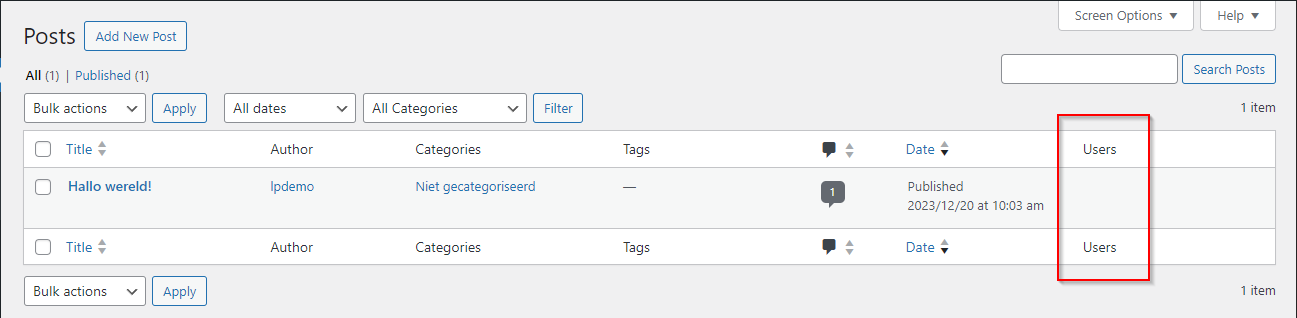
So it seems to be an issue with multi-site installations.
Can you confirm this?December 20, 2023 at 6:12 PM in reply to: MB Relationships - Database error for relationship between users_to_posts #44146Participantp.s.
I meant to say:
Ok, in that case it was coincidence that the error occurred only on servers with PHP 7 (instead of 8).December 20, 2023 at 6:08 PM in reply to: MB Relationships - Database error for relationship between users_to_posts #44145ParticipantHello,
Ok, in that case it was coincidence that the error occurred only on servers with PHP 8.
I did some further testing on my local host.
I will try to replicate these steps on a live server, so I can give you access to it.On my localhost I have:
PHP: Version 7.4.29
MYSQL: 10.4.24-MariaDBI installed two clean WordPress instances: one single site and one multi-site.
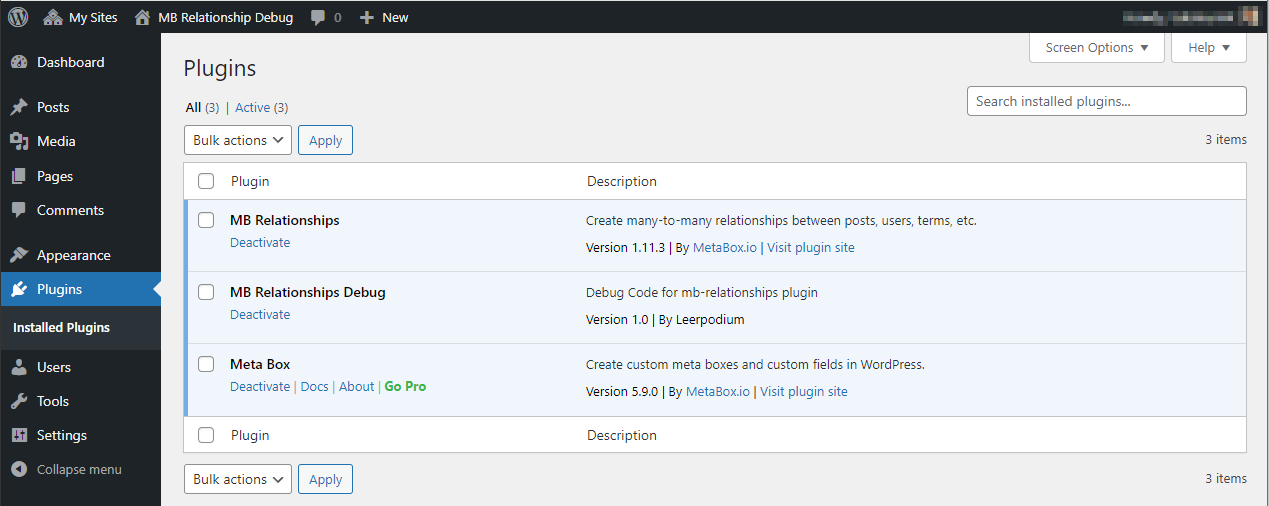
The only plugins that are active are
- Metabox
- MB Relationships
- MB Relationships Debug (plugin that registers the relationship)
The debug plugin only registers one relationship:
add_action('mb_relationships_init', function () {
    MB_Relationships_API::register([
        'id'   => 'users_to_posts',
        'from' => [
            'object_type'   => 'user',
            'admin_column'  => [
                'title'         => 'Posts',
            ],
        ],
        'to'   => [
            'object_type'   => 'post',
            'post_type'     => 'post',
            'admin_column'  => [
                'title'         => 'Users',
            ],
        ]
    ]);
});
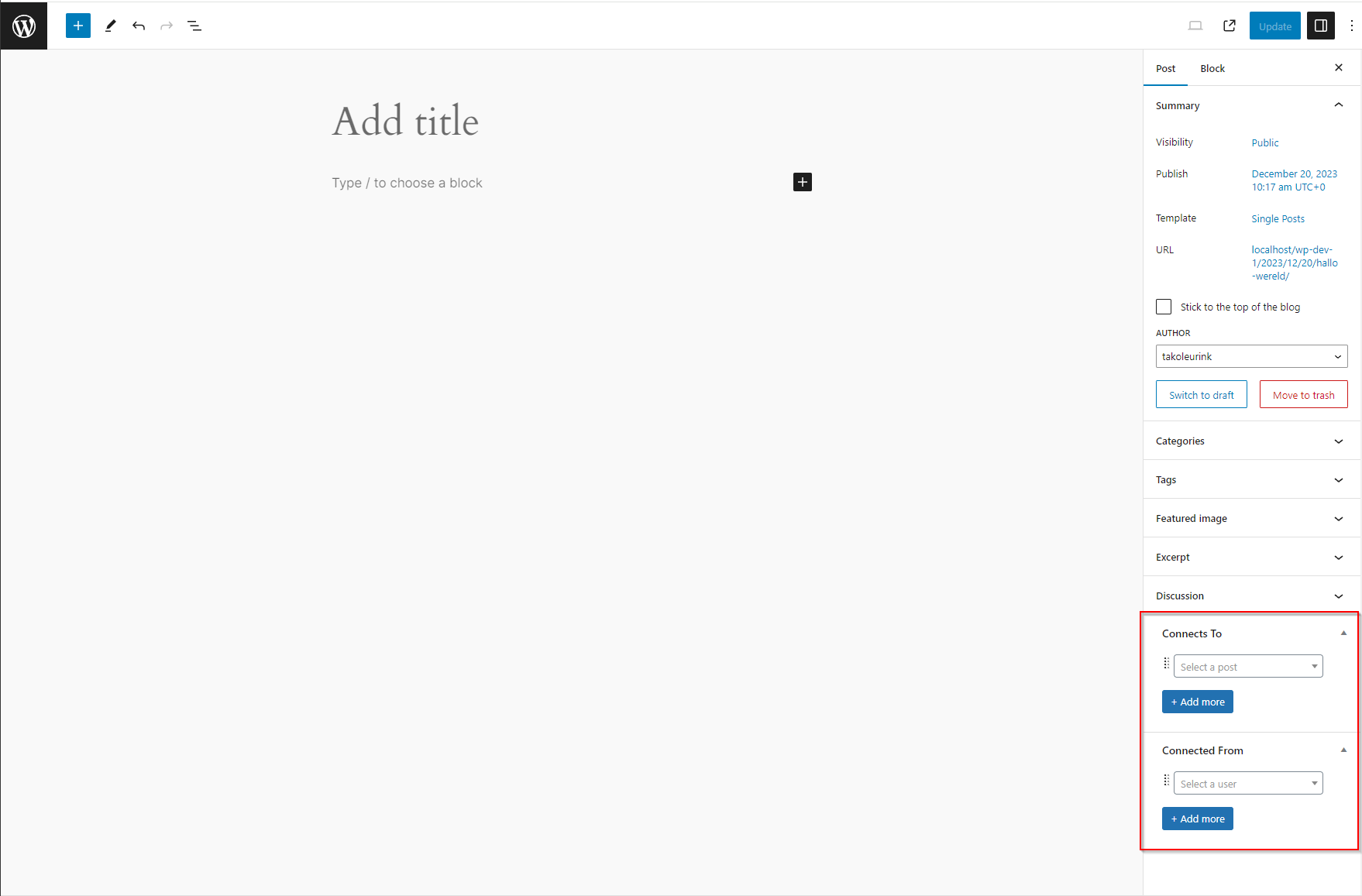
On both WordPress installations I get two Metaboxes on the post edit screen:
Also I get the following error message:
WordPress database error You have an error in your SQL syntax; check the manual that corresponds to your MariaDB server version for the right syntax to use near 'mbr.order_to' at line 6 for query \n\t\t\t\tSELECT wp_users.ID , mbr.to\n\t\t\t\tFROM wp_users INNER JOIN wp_usermeta ON ( wp_users.ID = wp_usermeta.user_id ) INNER JOIN wp_2_mb_relationships AS mbr ON (mbr.from = wp_users.ID AND mbr.type = 'users_to_posts' AND mbr.to IN (1)) \n\t\t\t\tWHERE 1=1 AND ( \n wp_usermeta.meta_key = 'wp_2_capabilities'\n)\n\t\t\t\tmbr.order_to\n\t\t\t\t\n\t\t\t made by WP_List_Table->display, WP_List_Table->display_rows_or_placeholder, WP_Posts_List_Table->display_rows, WP_Posts_List_Table->_display_rows, WP_Posts_List_Table->single_row, WP_List_Table->single_row_columns, WP_Posts_List_Table->column_default, do_action('manage_post_posts_custom_column'), WP_Hook->do_action, WP_Hook->apply_filters, MBR_Admin_Columns->post_to_column_data, MBR_Admin_Columns->get_column_data, MBR_Admin_Columns->get_user_items, get_users, WP_User_Query->__construct, WP_User_Query->query, referer: http://localhost/wp-dev-2/mb-relationship-debug/wp-admin/post.php?post=1&action=edit
December 18, 2023 at 10:45 PM in reply to: MB Relationships - Database error for relationship between users_to_posts #44132ParticipantHello,
The only relationship that I register is the one described in the initial ticket.
But I have done some further testing and I suspect it has to do with the php version.
With php 7 the problem occurs.
With php 8 the problem does not occur.Can you confirm this?
December 15, 2023 at 2:45 PM in reply to: MB Relationships - Database error for relationship between users_to_posts #44101ParticipantI don't like sharing credentials unless absolutely necessary.
Have you tried to replicate the issue first? And it did not occur?December 14, 2023 at 4:06 PM in reply to: MB Relationships - Database error for relationship between users_to_posts #44090ParticipantThis is a debug site.
I did not use the builder.
The only relationship that is defined is the one that you see in the code example above.ParticipantThanks we will check this out
ParticipantHi, can you please provide us with a status update? Our clients are increasing the pressure, and we still haven't heard from you since our last request for a status update. That was more than 2 weeks ago...
ParticipantJust to let you know, that some of our clients are experiencing this issue a lot, because they work in a Metabox powered environment with classes of students together. Could you provide us with an update regarding this issue and an estimate if/when this will be resolved? With that information we can manage expectations of our clients better. Thanks!
ParticipantHello, we are experiencing the same problem.
I am not sure if this is relevant for the original poster of this ticket, but We found at least one way in which you can trigger this error.
- open a front-end-submission form that creates new posts in two separate browser tabs.
- submit the form in one of the browser tabs (this should work).
- submit the form in the other browser tab (this should trigger the error).
The error does not occur when editing an existing post with the front-end-submission form.
The error also happens when you do this on two separate devices.
So when two devices "simultaneously" render the front-end-submission form, only the first one that gets submitted will work, the other one will receive the error.Hope this helps in solving this issue.
However, if I should submit a new ticket for our specific problem please let me know.Cheers,
Tako
December 21, 2021 at 9:04 PM in reply to: ✅Deleting custom post_type with frontend submission form permanently deletes post #32800ParticipantOk, I will do that.
Thanks for the reply.
December 20, 2021 at 3:47 PM in reply to: ✅"ghost pixels" due to select_advanced field in frontend submission form #32765ParticipantHi,
Thanks for the reply.
I think the issue is caused by the particular design of our website.
We have some columns with fixed heights and I guess due to theposition: absolute !important;the pixels are placed outside of the dom element where the form is rendered.
I have given the parent element a "position: relative;" and this seems to fix the issue.
Cheers and thanks for the support.
Tako
December 19, 2021 at 6:36 PM in reply to: ✅"ghost pixels" due to select_advanced field in frontend submission form #32748Participantp.s. the img I included does not load (it's a google drive link), however if you open the link directly in the browser it will load.
-
AuthorPosts