Forum Replies Created
-
AuthorPosts
-
@mindspark
ParticipantAnh - I set up a new sample custom field section and added a few fields without the special field 'Group'. looks like those entries work as expected... so without any deeper testing it looks like the 'Group' feature needs some additional work.
PS - the Group field type is very handy - so I'll ask that you add it to your work queue and while you are at it - please consider adding a 'DUPLICATE' option to the Group field so we can duplicate entire field sections. Also - making it work with Beaver Themer will be a nice option too!!
Participantsent the login info.
page in question - https://siteview.app/projects/restcaps/new/
December 3, 2018 at 7:19 PM in reply to: ✅Cloning Groups of Fields on Backend (WP Admin Dashboard) #12453ParticipantUghh!
OK - I'll have to figure a different way to handle this issue.
thx
ParticipantDo you have any sort of ETA in adding support for the display of Grouped fields in Beaver Themer?
thx!
November 30, 2018 at 7:07 PM in reply to: ✅Cloning Groups of Fields on Backend (WP Admin Dashboard) #12401ParticipantLet me clarify -
Cloning allows a user to click a button as needed to duplicate something.
What I'm referring to is DUPLICATING fields in the builder. Sorry for the confusion.
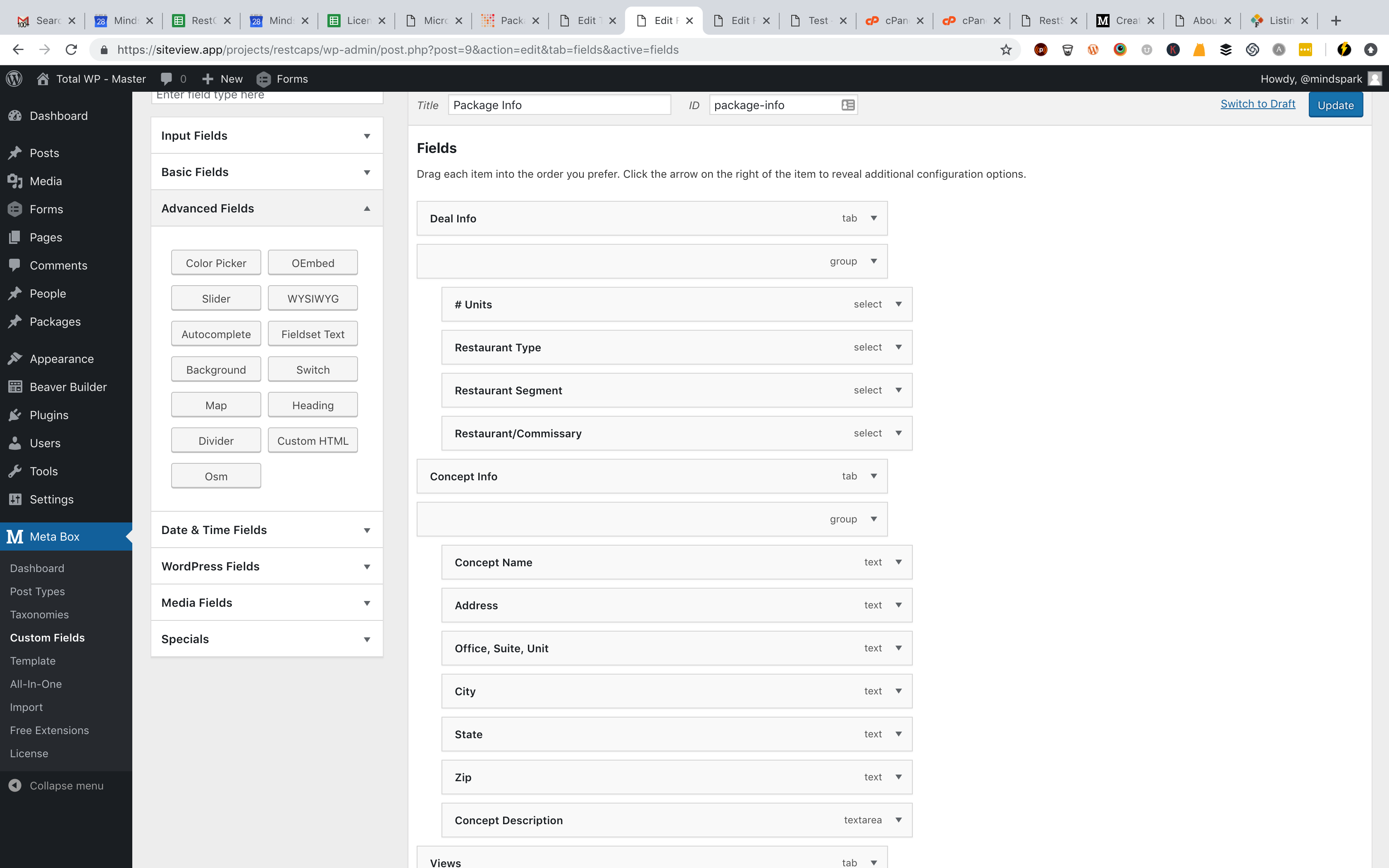
I want to take a group and all 10 sub-fields and hopefully duplicate the group in the form so that I have 30 instances of the same group.
Then conditionally show the correct number of these duplicated groups based on how many units are enetered in another field.
If I choose 2 units, then show 2 of these form groups. If I choose 12 units, then display 12 of the designated form groups.
so in building the form, all 30 groups are there, but when creating a new Package, I only want to display the number of groups based on how many units are indicated in the drop down field (options range from 1 to 30).
Not cloning the group manually.
Make sense?
Participantthat will be awesome!
thanks.
ParticipantQuick follow up -
looks like the Themer integration only goes 1 layer deep when connecting to custom fields....
when I add a standard text box at the top of the CPT field stack - not inside a group (Specials = Group) then that field displays as expected.
see here:
https://snag.gy/2W6A4D.jpg
https://snag.gy/D9IPUp.jpgParticipantany update here?
ParticipantHi Anh - I found the patterns detail on my own yesterday... I was assuming that the pattern allows for real-time field validation. unfortunately the pattern method only validates on submission. 🙁
as always thanks for your efforts here!
Participantthanks to both of you.
I'm using Relevanssi and Beaver Themer. Themer will handle the archive template and the MB Themer integration allows for everything I need from there - I think!
thx again!
Participantplease disregard my last note.
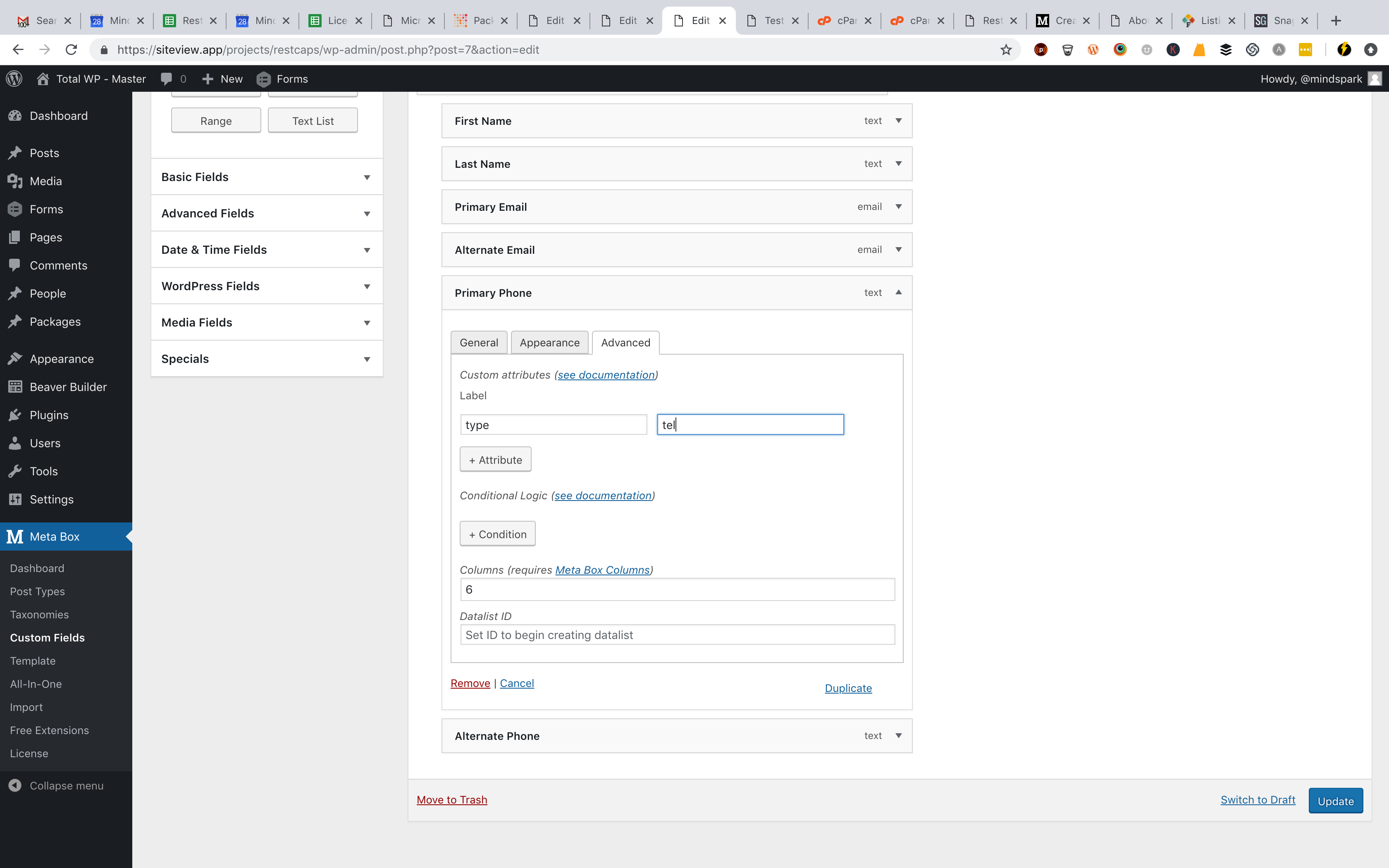
Using a TEXT field, I went to Advanced tab and in Attributes I added TYPE and TEL.
after updating, the field still allows me to enter text and numbers are not formatted as a telephone number.
see here:
setting attribute - https://snag.gy/61TK29.jpg
number not formatted as phone number - https://snag.gy/gG3d2n.jpg
field accepts text vs numbers - https://snag.gy/mcPKxk.jpgParticipantso sorry about this....
which field type do I select? there is no option for HTML5 or anything related to text?
see here: https://snag.gy/CX69fH.jpg
ParticipantThanks Anh!
ParticipantThanks Anh!
ParticipantThx Anh -
I don't know WHERE to change the field type from Text to TEL....? there isn't an option in the builder itself that I can find
-
AuthorPosts